
Google is the most dominant search engine in use. If you want your business to rank high in Google's local search results, it needs a Google Business Profile (formerly Google My Business). Your Business Profile is one of the single biggest drivers of ranking well enough to earn placement in the search results' most valuable real estate. In fact, the quality and completeness of your Business Profile is one of the most important factors in determining where your business shows up in local results.
Activity on external review sites, such as Yelp, Angi (formerly HomeAdvisor), and Thumbtack, is another strong driver of your search results placement. Google often incorporates reviews of your business into your Business Profile, compounding their impact. What's more, their influence as local search ranking factors keeps growing.
If you want your business to be found by people searching for what you offer on Google, you must take your Business Profile and online reviews seriously. Otherwise, your website will end up in that wasteland that is the second page of Google search results.
You Already Use Google Business Profile Every Day, As a Consumer
Let's start with what a Business Profile is not: it's not a social media site. It's vital to understand this distinction, as it would be a mistake to treat your Business Profile like just another social network where your small business needs a presence.
What it is: your Google Business Profile is both a Google business directory listing and a powerful set of free tools you use to build your presence in that directory and online more generally. It matters because it's Google, and its power to influence whether your business gets a steady stream of new inquiries from online searching is unparalleled.
The core of your listing is your Business Profile itself, the panel that appears directly in Google Search and Google Maps. It's free. It displays information about your business, shows your reviews, and links straight to your actual website.
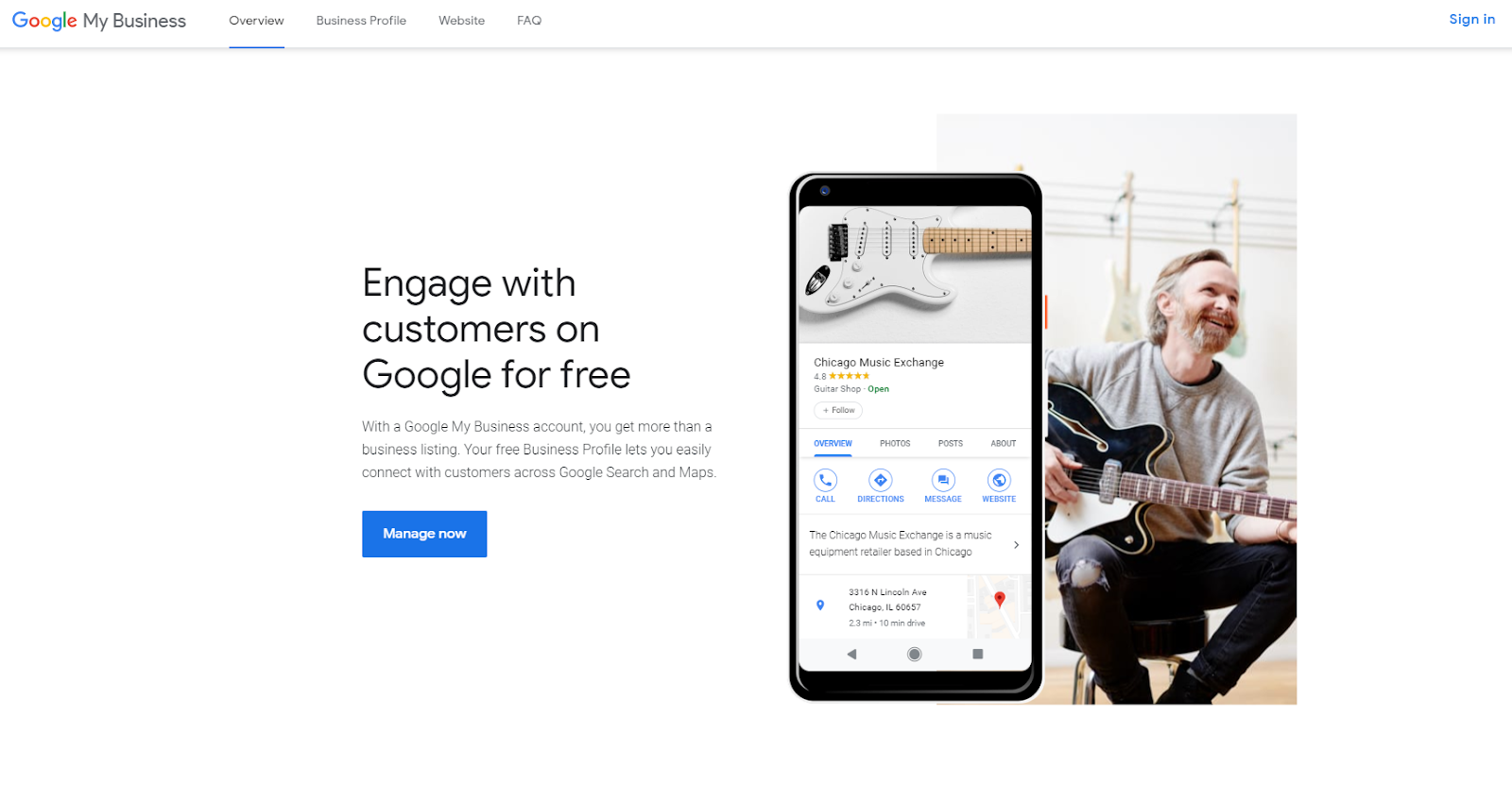
Searchers reach your Business Profile in one of two ways. First, they already know your business name but are Googling it to learn more about you. Second, they're doing a general "near me" search for the kind of product or service you offer, and your business ranks well enough to make the first-page listings.
These searches don't always bring people directly to your profile. The search results page provides two main ways for searchers to find you. Your business may be one of the three shown in the Google Map box (also called the Local 3-Pack or local pack).
There may also be a business featured in the Knowledge Panel, which appears to the right of the search results on desktop.
When a user clicks on any of the businesses in either the Map box or Knowledge Panel, it brings them to a Local Search or Local Finder page that lists companies meeting the original search criteria that have Business Profiles.
From the Local Finder page, searchers can connect to your Business Profile. If your listing interests them and they click on your business name, they'll land on your full profile.
You can see how this ecosystem of pages works together to drive traffic to your Business Profile and your website. But Google has loftier ambitions than simply driving online traffic. It provides a collection of Business Profile tools designed to get searchers to contact your business in that moment.
These listings aren't merely about helping a prospect find your phone number or get directions to your premises. Your Business Profile is designed to drive new customers and generate revenue for your business. And if you want your business showing up in the Map box or Knowledge Panel, or even high on the Local Finder page, you need a well-developed, active profile.
Getting Started Is Easier Than You Think
There's a good chance your business already has a Business Profile. You just haven't claimed it. Google your business name to find out. You can get set up in about 10 minutes. Head to Google Business Profile to create your account and claim your listing, or claim it directly from Google Search or Maps. (The old standalone Google My Business app has been retired, so day-to-day management now happens right in Search and Maps.) When you create your basic profile, you'll add general logistical information (location, contact information, hours).
You'll also select the business category that applies to your business, which is critical to improving search rankings and getting found by people doing the right searches. Choose the most specific category that fits what you do, since a precise primary category helps Google understand your business and match it to the right searches. Google lets you choose one primary category plus up to nine additional categories. For example, a grocery store with a bakery and deli might select "Grocery store" as its primary category, then add "Bakery" and "Deli" as additional categories. Your primary category carries the most weight for rankings, so choose it carefully, and use the additional categories for your other services.
Once you've created your profile and claimed your listing, you'll need to verify it. Verification is Google's way of keeping people unrelated to your business from claiming your profile. After you're verified, you can fill out your listing:
- Add a business description that concisely describes your services: what you do, whom you help and why you're fantastic.
- Add photos and videos. According to Google, businesses with photos receive 42% more requests for directions and 35% more clicks through to their website than those without.
- Add links, not just to your website's homepage, but to other critical pages within your site. For example, you can create a separate link that goes directly to a "schedule a service" page, or your website's service page. You can also list your different services directly within your profile.
The Essential Features That Will Boost Traffic and Revenue
The information above is the minimum, basic information your Business Profile should include. In truth, if you want to work towards ranking highly on the Local Finder page or even make the Local 3-Pack, you need to do a lot more. Here are some other features you should use:
- Upload short posts to your profile with Google Posts: post content about your business is an important local search ranking signal, and regular posts show an active profile.
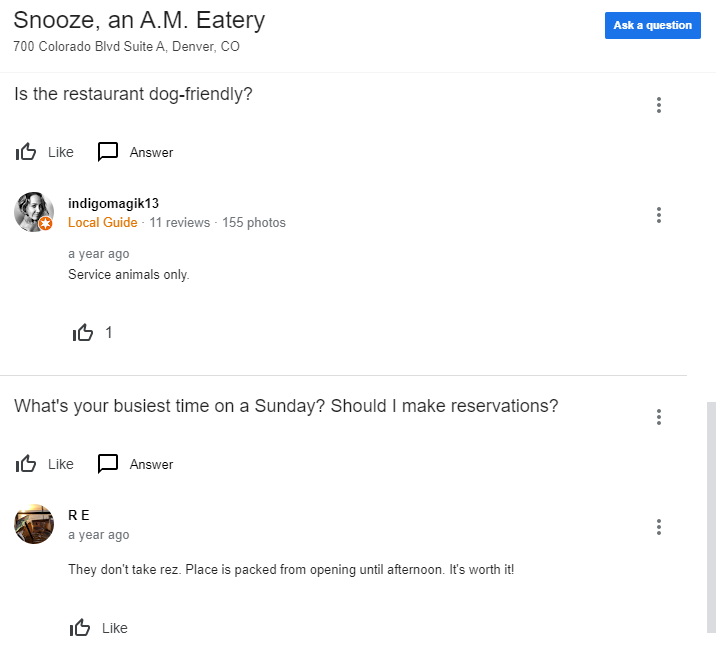
- Actively monitor and respond to questions searchers post in the Questions and Answers section of your profile. This Q&A section lets local searchers ask your business a question, and they expect to get an answer. Why wouldn't you reply to someone reaching out to your business?
- Learn how to read and analyze your Business Profile Performance reports (formerly called Insights), a data-rich dashboard Google provides that shows you who is finding your profile, how they got there, and what they do once they're there (e.g., visiting your website, giving you a call). Pair this with Google Analytics for your website, and use the data to refine your profile and instigate action from valuable leads.
A Business Profile Is Never Complete
While your Business Profile isn't a social media platform, it shares one key attribute with social media: if you want your business to be successful on it, you can't leave your listing alone after you first put it up.
A profile that will improve your local search rankings and drive revenue to your business, in addition to traffic to your website, needs constant care and attention.
- Your logistical information, including hours, must always be accurate. If you have different holiday hours, post them.
- As your services change, update your profile.
- Regularly adding new images and posts keeps your profile fresh and active, qualities both Google's ranking systems and prospects like to see.
- Respond to questions in Q&A and to specific reviews in the Google Reviews section promptly. Timely and full responses are another thing both Google and humans expect.
Your business's reviews and star rating that appear in your profile will continuously change based on customer feedback. Managing and monitoring your Google reviews is so critical, it gets its own section!
Bend the Knee to the Powerhouse That Is Google Reviews
Reviews are a critical part of your Business Profile. Business reviews, both native to Google and those on other review sites, are now among the top factors prospects use to decide whether to contact your business or one of your competitors. Here's just a bit of the research on the impact of customer reviews on decision-making:
- 92% of consumers read reviews of a local business before their first visit.
- Consumers read about 10 reviews and spend over 13 minutes researching before they decide to trust a local business.
- 88% of consumers would use a business that replies to all of its reviews, compared with just 47% for businesses that don't respond at all.
According to BrightLocal's Local Consumer Review Survey, Google is the most trusted online review platform, with 83% of consumers primarily reading reviews on Google. You cannot ignore your Google reviews. You need to:
- Encourage the posting of positive reviews, without paying or rewarding people to post them. This is a constant task, and recency matters: consumers put far more weight on recent reviews than old ones, so you want a steady, current stream that reflects who you are right now, at the time someone is thinking of hiring you.
- Respond to some positive reviews and respond appropriately to all negative ones. Google uses review responses, or lack thereof, as a factor that impacts your local search ranking. A lack of response to negative reviews has a more significant negative impact than positively responding to positive reviews helps.
- Understand that your profile will show reviews native to Google, but also an aggregation of star ratings and reviews of your business made on other review sites, both general (like Yelp) and industry-specific (like Thumbtack and Angi). The takeaway here is that you need a review management approach that actively monitors and responds to reviews on Google and the full complement of other relevant review sites listing your business.
Google sends you alerts when new reviews are posted, which makes the monitoring process easy. Snippets of reviews will appear wherever your Business Profile appears, from the local search results page to your Google Maps listing. Stay on top of them.
Best Practices for Responding to Google Reviews
Replying to Google reviews is good customer relationship management and helpful in improving your website's search rankings. Set up notifications in your Business Profile so you know when a new review has been posted. The best practices for replying to reviews on other external review sites apply here too.
- Don't ignore positive reviews! Profile engagement is a major contributor to improving search ranking, and that includes replying to happy customers. You don't need to reply to all of them (although you might), but definitely reply regularly. Thank them and reference one detail from their review, so it's clear you read it. Perhaps offer an extra tip to help them out. Do not post generic "thank you" replies; that's worse than not responding at all.
- You must respond to negative reviews, but wait for a beat, especially if you're feeling angry or defensive. As you write, stay professional and focus on solutions. The solution can be anything from clarifying context to letting them know you'll contact them privately to discuss it offline. Acknowledge the reviewer's feelings. Let the reviewer (and everyone reading your reply) know your business consistently works to improve its services.
In all cases, be concise!
Your Business Profile Is the Second Star in Your Online Presence
Think of your Business Profile as an online satellite location for your business that shines a light onto your main digital asset, your website.
Investing time and resources into developing and maintaining a complete and active Business Profile supports all your other online marketing efforts in critical ways.
- It checks the boxes on a number of high-impact local ranking factors that will improve your website's organic local search results, in addition to your profile itself.
- The content you need to maintain a complete and active profile is content you can take from or repurpose to all your other online assets. Images you post on your profile can also be posted to your Instagram or other social media. Posts you write for your website's blog can be summarized and posted as Google Posts. Taking this content repurposing approach keeps content fresh on all your online assets and saves you time.
You cannot win the local search results game without a Business Profile. Your business's website plus its Business Profile are the foundation for all your marketing efforts, so give them their due, ongoing attention. Ready to make the most of yours? See how our SEO team can help.
Your Google Business Profile is an essential part of marketing your small business online. See the complete guide for more.


0 Comments